HomeBlogsProductivity
Productivity

Unlock Google Antigravity's Full Potential

Ayush Choudhary
May 13, 2026
0:00 reading
Unlock Google Antigravity's Full Potential
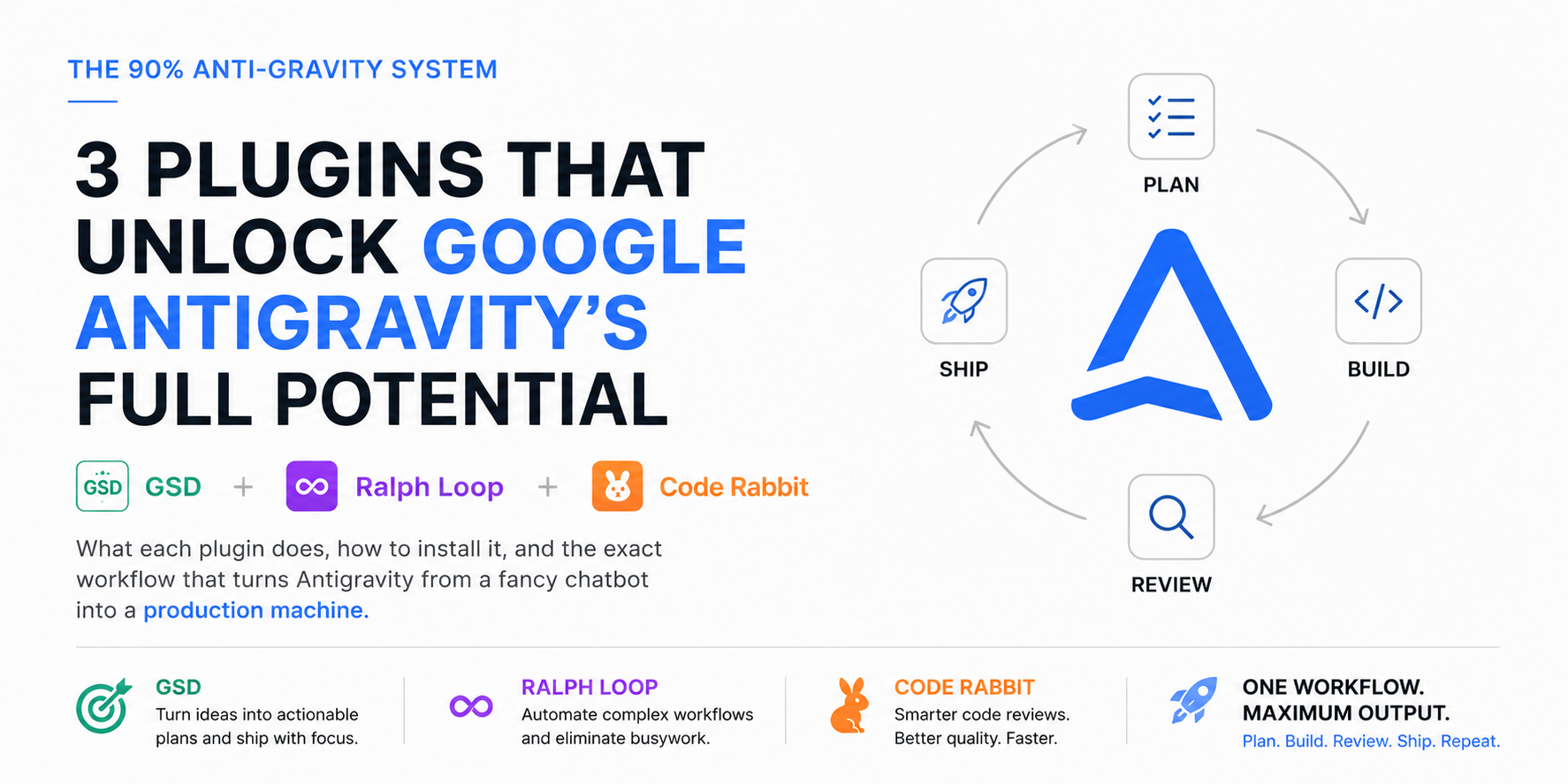
{"blocks":[{"type":"heading","level":1,"text":"The 90% Anti-Gravity System"},{"type":"image","url":"https://pub-6af605b2345845c0b6745ae6962454a8.r2.dev/blog-assets/1778676856381-ChatGPT-Image-May-13,-2026,-06_02_05-PM.png","alt":"Antigravity Plugins"},{"type":"paragraph","text":"3 Plugins That Unlock Google Antigravity's Full Potential\n"},{"type":"paragraph","text":"GSD + Ralph Loop + Code Rabbit\n","isItalic":true},{"type":"heading","level":2,"text":"First, What Even Is Google Antigravity?"},{"type":"paragraph","text":"Google Antigravity is Google's new AI-powered IDE, announced in November 2025 alongside Gemini 3. Think of it as Google's answer to Cursor, but built from the ground up around AI agents, not just autocomplete.\n"},{"type":"paragraph","text":"It runs on VS Code under the hood, so if you've used VS Code before, the layout feels familiar. What's different is the Agent Manager: a separate surface where you can send AI agents to plan, write, test, and fix code, all at the same time, while you watch or do something else entirely.\n"},{"type":"paragraph","text":"The default model is Gemini 3.1 Pro. It also supports Claude Sonnet 4.6, Claude Opus 4.6, and GPT-OSS-120B. It's free to download and use with a personal Gmail account, with generous limits on the paid models.\n"},{"type":"highlight_box","style":"important","text":"antigravity.google | Free download for Windows, Mac, Linux | Needs a personal Gmail account"},{"type":"paragraph","text":"The problem is that most people install it, type a prompt in the chat panel, and that's it. They're using maybe 10% of what it can do. The other 90% lives in three plugins."},{"type":"heading","level":2,"text":"Why AI Keeps Getting Things Wrong (And How to Fix It)"},{"type":"paragraph","text":"Here's what actually causes those weird AI hallucinations, the ones where you ask Cursor or Antigravity to do something and it confidently shows you output that makes no sense.\n\nIt's not a model problem. It's a context problem.\n\nWhen you give an AI a large, vague task, it fills in the gaps using guesses. The bigger the gap, the more it guesses. And the longer the conversation goes, the more earlier context gets pushed out, so it forgets things it knew ten minutes ago.\n\nGSD fixes the input problem. Ralph Loop fixes the memory problem. Code Rabbit catches what slips through anyway.\n\nTogether, they close the gap between 'the AI wrote something' and 'the AI wrote what I actually wanted.'\n"},{"type":"heading","level":2,"text":"Plugin 1: GSD (Get Shit Done)"},{"type":"heading","level":3,"text":"What It Is"},{"type":"paragraph","text":"GSD is a context engineering system, originally built for Claude Code, with a version made specifically for Google Antigravity. It's open source and free on GitHub.\n\nThe core idea: before you let the AI touch any code, GSD forces you to define exactly what you want to build. It extracts the requirements, creates a structured spec in XML format, and hands that to the agent with everything it needs to execute correctly.\n\nThe result is that instead of the agent guessing what 'build a login system' means, it gets a precise spec with the exact files to touch, the exact libraries to use, and a verification test to check if it worked.\n\n"},{"type":"heading","level":3,"text":"Why It Matters"},{"type":"paragraph","text":"The GSD GitHub repo describes the problem well: vibecoding, throwing a vague idea at an AI and hoping it builds something good, has a bad reputation because it deserves it. You get inconsistent code, bugs everywhere, and a debug loop that goes on forever.\n\nGSD kills the vague input. No spec, no execution. It's the difference between asking a contractor to 'build something nice' and handing them actual blueprints.\n"},{"type":"highlight_box","style":"important","text":"Think of GSD as the blueprint phase. You never start building without blueprints.\n"},{"type":"heading","level":3,"text":"How to Install GSD in Antigravity"},{"type":"image","url":"https://pub-6af605b2345845c0b6745ae6962454a8.r2.dev/blog-assets/1778676934518-ChatGPT-Image-May-13,-2026,-06_25_23-PM.png","width":"66%","height":"auto"},{"type":"numbered_list","items":["Open a terminal inside Antigravity (or your system terminal)","Navigate to your project folder: cd your-project-name","Run: git clone https://github.com/toonight/get-shit-done-for-antigravity.git gsd-template","Copy the required folders into your project: cp -r gsd-template/.agent ./ then cp -r gsd-template/.gemini ./ then cp -r gsd-template/.gsd ./","Also copy: cp gsd-template/PROJECT_RULES.md ./ and cp gsd-template/GSD-STYLE.md ./","Delete the template folder: rm -rf gsd-template","Inside Antigravity, type /new-project and follow the prompts to define your first project"]},{"type":"heading","level":3,"text":"How to Use It"},{"type":"numbered_list","items":["Start every new project with /new-project. GSD will ask you a series of questions about what you want to build.","It produces a PLAN.md file with your project spec, broken into phases.","Each phase is broken into atomic tasks, small enough that the AI can finish one without running out of context.","Use /gsd:plan-phase 1 to plan the first phase, then /gsd:execute-phase 1 to let the agent build it.","After each phase, run /gsd:verify-work to check if the output matches the spec."]},{"type":"heading","level":2,"text":"Plugin 2: Ralph Loop"},{"type":"heading","level":3,"text":"What It Is"},{"type":"paragraph","text":"Ralph Loop is an autonomous agent loop for Antigravity. It's a VS Code extension that runs on Antigravity because Antigravity is a VS Code fork.\n\nThe name comes from 'Ralph Wiggum Loop,' a technique that became popular in early 2026. Named after the Simpsons character known for stubborn persistence, the idea is simple: keep sending the same goal to the AI in a fresh context window, over and over, until the task is done.\n\nHere's what the loop actually does in Ralph Loop for Antigravity. It reads your task list from a PRD.md file. It checks a progress.txt to see what's already been completed. It picks one task, completes it, saves the result, and commits to git. Then it starts a fresh session and picks the next task. Repeat until the task list is empty.\n"},{"type":"heading","level":3,"text":"Why This Is Different From Normal AI Coding"},{"type":"paragraph","text":"Normal AI coding has a context limit. Your conversation gets long, the AI starts forgetting things, quality drops, and you have to manually restart and catch it up.\n\nRalph Loop sidesteps this. Progress lives in files and git history, not in the conversation. Each new iteration starts with a clean slate but picks up exactly where the last one left off. The AI never gets tired, never forgets what it already finished, and never stops until the tasks are done.\n\n"},{"type":"highlight_box","style":"important","text":"This is what 'AI autopilot' actually looks like. You write the task list once. Ralph Loop handles the rest.\n"},{"type":"heading","level":3,"text":"How to Install Ralph Loop"},{"type":"numbered_list","items":["In Antigravity, press Ctrl+Shift+X to open the Extensions panel","Search for 'Ralph Loop for Antigravity'","Click Install (the extension is by abhishekbhakat on VS Code Marketplace)","Create a PRD.md file in your project root and write your task list there, one task per line","Also create an empty progress.txt file in the project root","Open the Command Palette with Ctrl+Shift+P and search for 'Ralph Loop: Start'","Set the max iterations you want (default is 10, each iteration = one task)","Click Start and let it run"]},{"type":"image","url":"https://pub-6af605b2345845c0b6745ae6962454a8.r2.dev/blog-assets/1778677122961-ChatGPT-Image-May-13,-2026,-06_28_27-PM.png","alt":"How ro install Ralph","caption":"How ro install Ralph","width":"75%","height":"auto"},{"type":"heading","level":3,"text":"What to Expect"},{"type":"numbered_list","items":["You'll see the agent work through one task at a time in the Agent Manager panel.","After each task, it commits the changes and moves to the next.","If a task fails, it documents why in progress.txt and tries an alternative approach on the next iteration.","When all tasks are done, or max iterations are hit, it stops and gives you a summary."]},{"type":"heading","level":2,"text":"Plugin 3: Code Rabbit"},{"type":"heading","level":3,"text":"What It Is"},{"type":"paragraph","text":"\nCode Rabbit is an AI code review tool. It's the most widely used AI reviewer on GitHub and GitLab as of 2026, with over 2 million repositories connected and more than 13 million pull requests reviewed.\n\nIt's not a code generator. It doesn't write code. It reads code and tells you what's wrong with it before it causes a problem in production.\n\nThe analysis runs on three layers: Abstract Syntax Tree evaluation (checks the structure of your code), Static Application Security Testing (looks for security holes), and an LLM layer that reads the code like a senior developer would and flags logic errors, edge cases, and bad practices.\n"},{"type":"heading","level":3,"text":"Why You Need This Even If Your AI Wrote 'Good' Code"},{"type":"paragraph","text":"Here's a stat worth knowing: CodeRabbit's own data shows that AI-generated code produces 1.7 times more issues per pull request than human-written code, with logic errors up 75% and security vulnerabilities up to twice as frequent.\n\nThat means when Ralph Loop finishes a task, the output probably works, but it may have problems you can't see yet. Code Rabbit finds them before they reach production.\n\nIndependent tests show Code Rabbit catches 46% of real-world runtime bugs. That's not perfect, but it's significantly better than committing code and finding out at 3am something broke.\n"},{"type":"highlight_box","text":"Think of Code Rabbit as the quality gate. Every task Ralph Loop finishes goes through Code Rabbit before you ship it.\n","style":"important"},{"type":"heading","level":3,"text":"How to Install Code Rabbit"},{"type":"image","url":"https://pub-6af605b2345845c0b6745ae6962454a8.r2.dev/blog-assets/1778677347978-ChatGPT-Image-May-13,-2026,-06_32_15-PM.png","alt":"Code Rabbit Installation","caption":"Code Rabbit Installation","width":"75%","height":"auto"},{"type":"numbered_list","items":["Go to coderabbit.ai and create a free account","Connect your GitHub or GitLab repository from the dashboard (two-click setup)","In Antigravity, press Ctrl+Shift+X and search for 'CodeRabbit'","Install the extension and sign in with your Code Rabbit account","From this point, every commit you push triggers an automatic review","For IDE reviews without a commit, open the CodeRabbit panel in the sidebar and run a manual review on any open file"]},{"type":"heading","level":3,"text":"Pricing"},{"type":"numbered_list","items":["Free: Open source projects, public repos, unlimited PR reviews","Lite: $12 per developer per month","Pro: $24 per developer per month, adds Jira and Linear integration","Free 14-day trial, no credit card needed"]},{"type":"heading","level":2,"text":"The 90% Combo: Exact Workflow"},{"type":"paragraph","text":"Each plugin solves a different problem. GSD fixes the input. Ralph Loop fixes the execution. Code Rabbit fixes the output. Run them in sequence and you have a full production pipeline."},{"type":"table","headers":["Step","Plugin","What Happens"],"rows":[["1","GSD","Use /new-project to define your goal. GSD breaks it into phases and atomic tasks. Output: PLAN.md"],["2","Ralph Loop","Point Ralph Loop at your PRD.md. It builds each task one by one, commits after each, stops when done. Output: working code in git"],["3","Code Rabbit","Review the output in your IDE or via PR. Fix anything Code Rabbit flags before merging. Output: clean, reviewed code"],["4","Repeat","Move to the next GSD phase and run the loop again. Same system, next feature"]]},{"type":"heading","level":3,"text":"Real Example: Building a Job Tracker App"},{"type":"paragraph","text":"Say you want to build a simple web app that tracks job applications. Here is what the workflow looks like from start to finish.\n","isItalic":true},{"type":"bullet_list","items":["GSD: You run /new-project, describe the app, and answer the prompts. GSD creates a PLAN.md with phases: Phase 1 is the backend API. Phase 2 is the database schema. Phase 3 is the frontend. Phase 4 is authentication. Each phase has 3 to 5 atomic tasks.","Ralph Loop: You copy Phase 1 tasks into PRD.md, start the loop, and step away. Ralph Loop builds the API endpoint by endpoint, commits each one, and stops when Phase 1 is done. The whole thing takes 20 to 40 minutes with no babysitting.","Code Rabbit: You push to GitHub. Code Rabbit reviews the new endpoints and flags two things: a missing input validation on one route and an unhandled error in another. You fix both in five minutes.","Repeat: Phase 2, same process. Then 3, then 4. By the end of the day, you have a complete app with clean, reviewed code that you actually understand because you wrote the task list yourself."]},{"type":"highlight_box","text":"GSD + Ralph Loop + Code Rabbit = the full loop. Plan it. Build it. Review it. Ship it.\n","style":"important"},{"type":"heading","level":2,"text":"Things to Know Before You Start"},{"type":"bullet_list","items":["GSD tasks should be small enough to finish in one context window. If a task description is more than a paragraph, break it into two tasks.","Ralph Loop works best when each PRD task has a clear success condition. Not 'build a login page' but 'build a login page that returns a JWT token on success and a 401 on failure.'","Code Rabbit's Learnings feature lets you teach it your coding style. After a few reviews, you can mark false positives and it stops flagging them. Do this early.","If Antigravity gets stuck on a task in the Agent Manager, check that you have 'Always Proceed' set in your Terminal execution policy. Go to Settings, search for Terminal Command Auto Execution, and set it to Always Proceed.","You can run multiple agents simultaneously in the Manager View. One agent can be running Phase 2 in Ralph Loop while you manually work on something in the Editor View."]},{"type":"heading","level":2,"text":"Quick Reference"},{"type":"table","headers":["Plugin","Install","What It Solves"],"rows":[["GSD","GitHub: toonight/get-shit-done-for-antigravity","Vague inputs and AI hallucination from unclear tasks"],["Ralph Loop","VS Code Marketplace: ralph-loop-for-antigravity","Context rot and the need to babysit the agent manually"],["Code Rabbit","coderabbit.ai + VS Code extension","Bugs, security issues, and bad code that ships to production"]]},{"type":"heading","level":3,"text":"Resource"},{"type":"link","text":"Download Anitgravity","url":"https://antigravity.google/download","style":"inline","newTab":true},{"type":"link","text":"GSD for Antigravity","url":"github.com/toonight/get-shit-done-for-antigravity","style":"inline","newTab":true},{"type":"link","text":"Code Rabbit Download","url":"coderabbit.ai","style":"inline","newTab":true},{"type":"link","text":"Getting Started Codelab","url":"codelabs.developers.google.com/getting-started-google-antigravity","style":"inline","newTab":true},{"type":"highlight_box","text":"Ralph Loop Extension : marketplace.visualstudio.com search: ralph-loop-for-antigravity\n\n"}]}

Want More AI Insights?

Subscribe to our newsletter for weekly tips, tool reviews, and AI trends.

Related Articles